Identity Verification (KYC) Guide
Under international Anti-Money Laundering (AML) and Counter-Terrorist Financing (CTF) standards, GreatBless is legally required to verify the identity and residential address of all clients before granting full trading, deposit, or withdrawal access. Third-party accounts are strictly prohibited: all payment methods must be registered in the exact same legal name verified during KYC.
To secure your account and satisfy international financial standards, follow this step-by-step guide to complete your KYC verification:
Required documents to prepare
1. Government-issued Proof of Identity (POI): Valid Passport, National ID card, or Driver's License (must show your full legal name, date of birth, document number, issue date, and expiration date).
2. Proof of Address (POA): A valid document showing your full legal name and current residential address, issued within the last 6 months.
- Note: The document used for Proof of Address must be different from the document used for Proof of Identity. You cannot use the same document for both steps.
- Accepted documents:
- Utility bill (electricity, water, gas, fixed internet, or landline telephone)
- Bank account statement or credit card statement
- Bank account confirmation letter
- Driver's License or National ID showing your current residential address (if not already used as Proof of Identity)
- Official government correspondence
3. Portrait photo: A clear, recent selfie taken in good lighting without accessories (hats, sunglasses, masks) or heavy filters.
Verification procedure
1. Log in to your GreatBless Client Portal.
2. From the main dashboard or navigation menu, click [Complete KYC]. If you cannot find it, open https://my.greatbless.com/kyc directly.
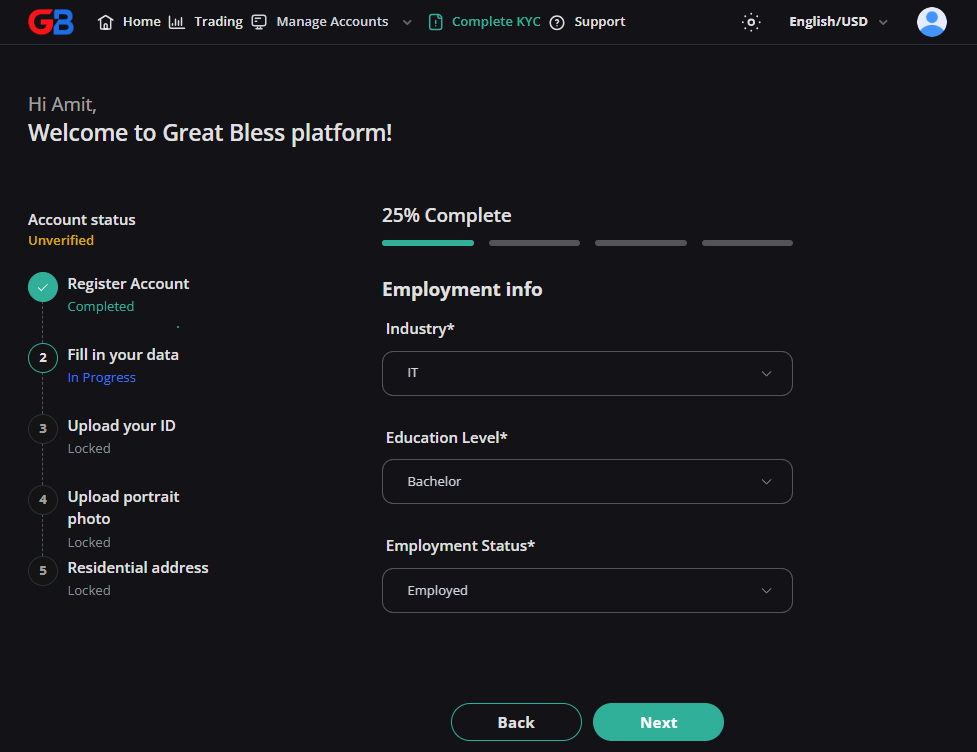
3. Complete the multi-stage questionnaire:
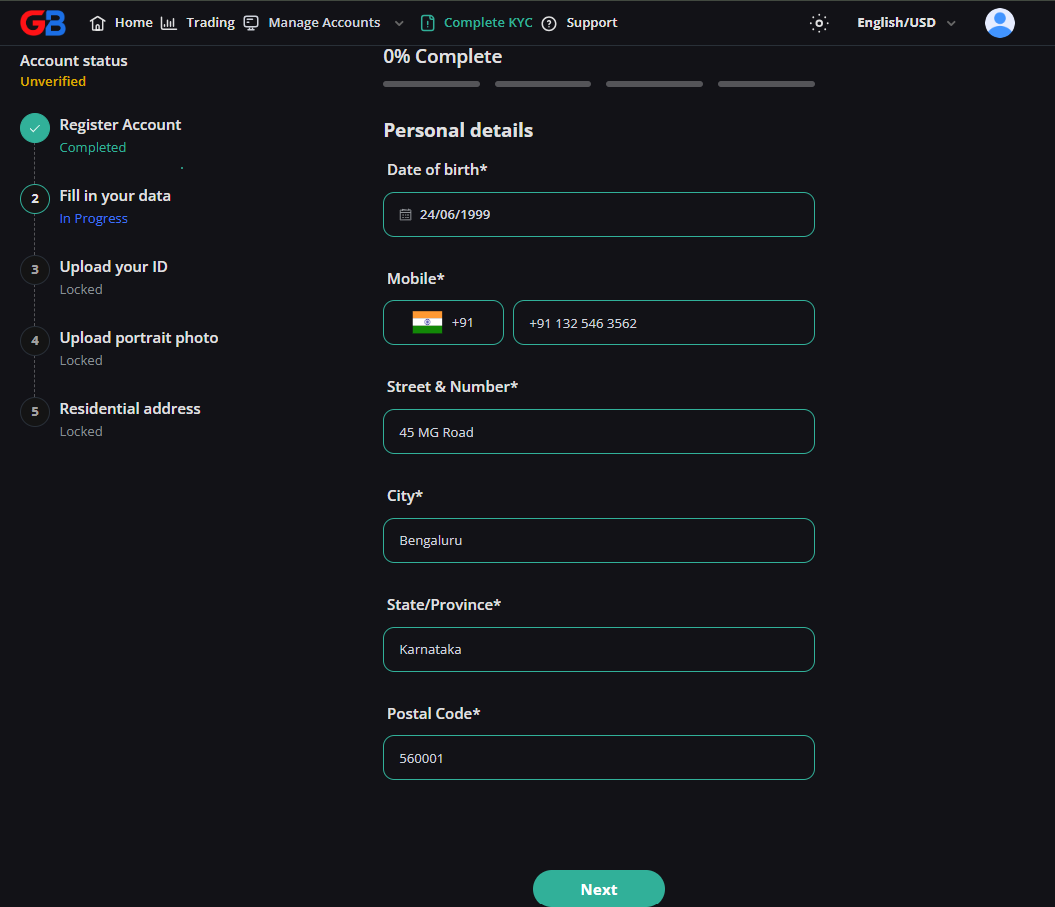
- Personal details: Select your nationality, mobile country code, phone number, and date of birth.
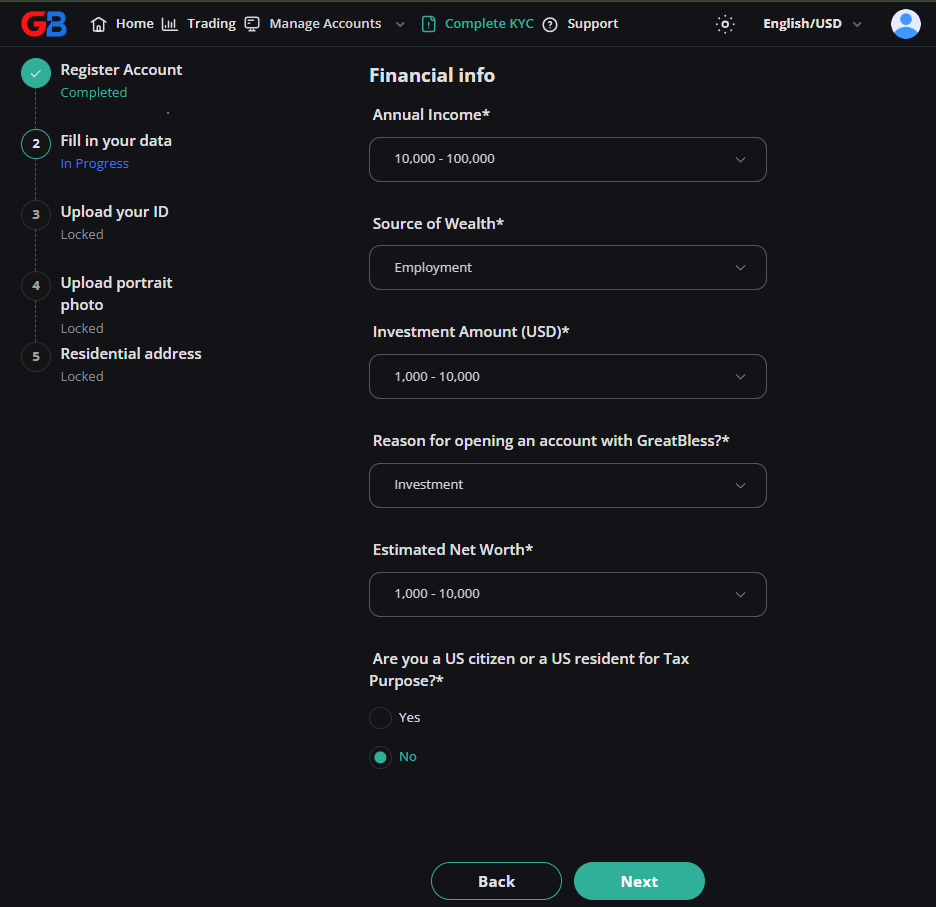
- Employment & financial background: Specify your industry, educational background, employment status, annual income range, source of wealth, and estimated investment capital.
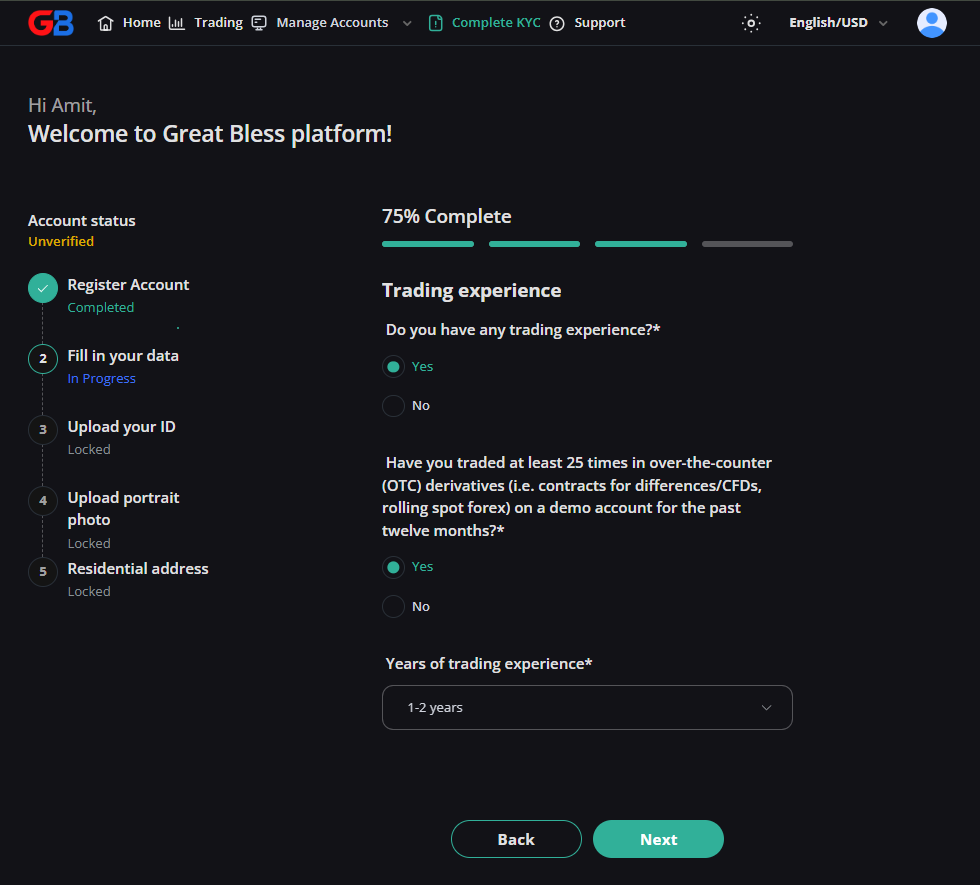
- Trading experience & appropriateness: Provide your prior experience with leveraged OTC derivatives (CFDs, Forex) to ensure financial appropriateness.
4. Upload your Identity Document:
- Select the document type (Passport, ID Card, Driver's License) and enter the document number, issue date, and expiry date.
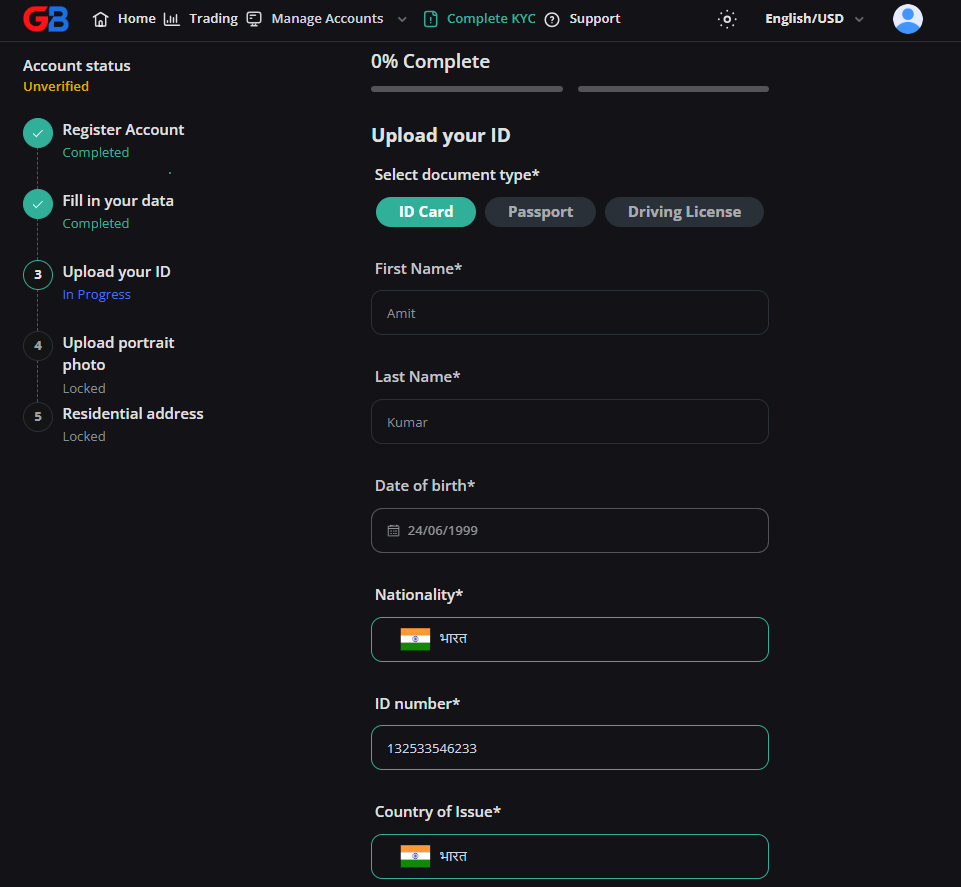

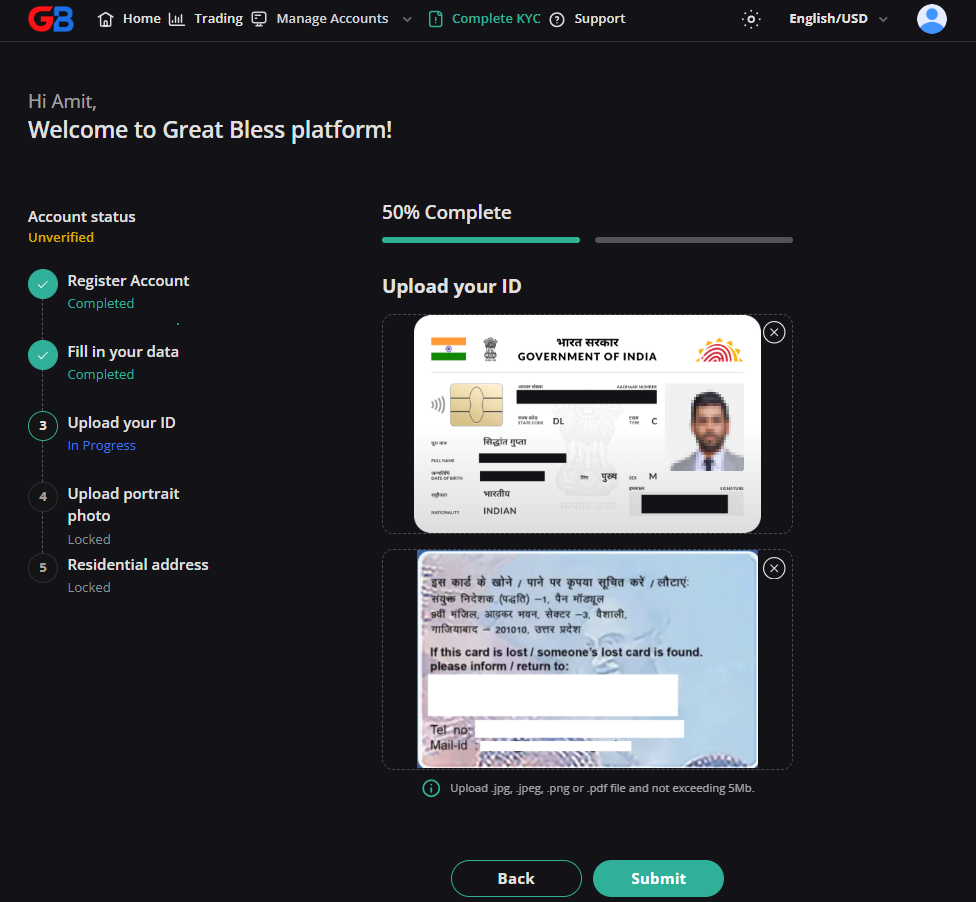
- Upload high-resolution photos of the front and back of the document. Ensure all four corners are visible without glare, cropping, or motion blur.
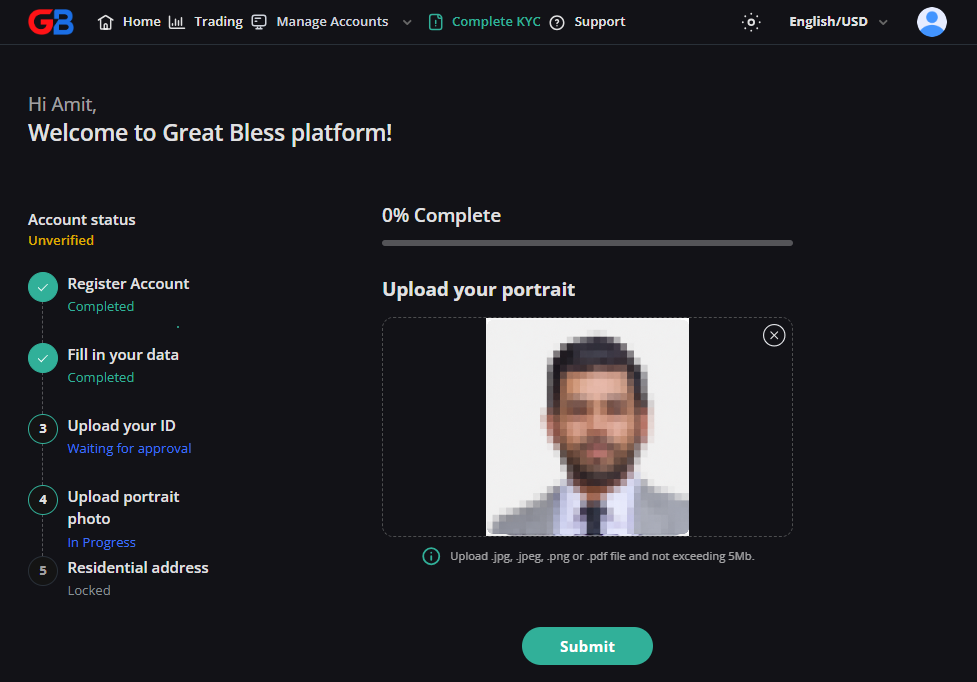
5. Confirm residential address and upload Proof of Address:
- Verify your residential street address, city, postal code, and country.
- Upload a clear photo, scan, or PDF of your proof of address document (issued within the last 6 months).
- Make sure this document is different from the identity document uploaded in Step 4, and that your full name and residential address are clearly visible.
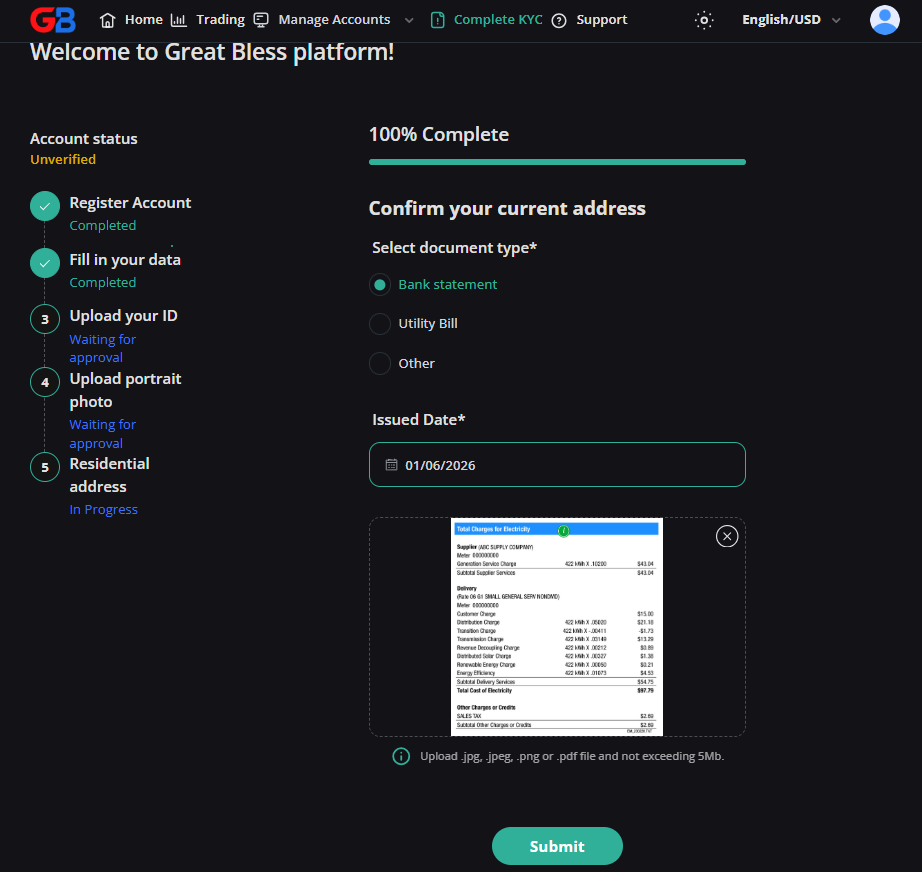
6. Click Submit to finalize your verification request.
Review timeframe: KYC submissions are typically processed by our compliance team within 1 to 12 business hours. You will receive an automated notification via email upon approval.