How to Check login history and Manage devices
1. View Login History
Step 1. Login in to your GreatBless account as usual.
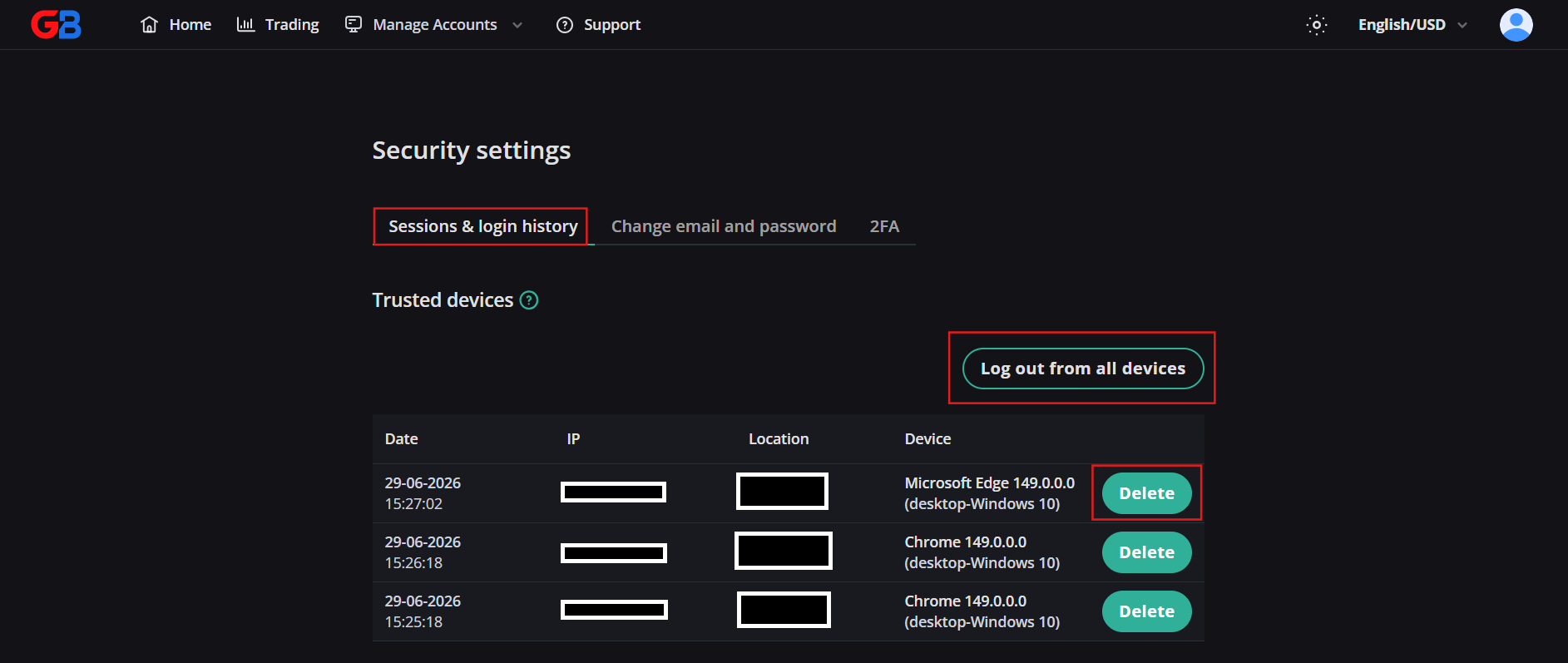
Step 2. Click on the user icon, then select [Security settings].
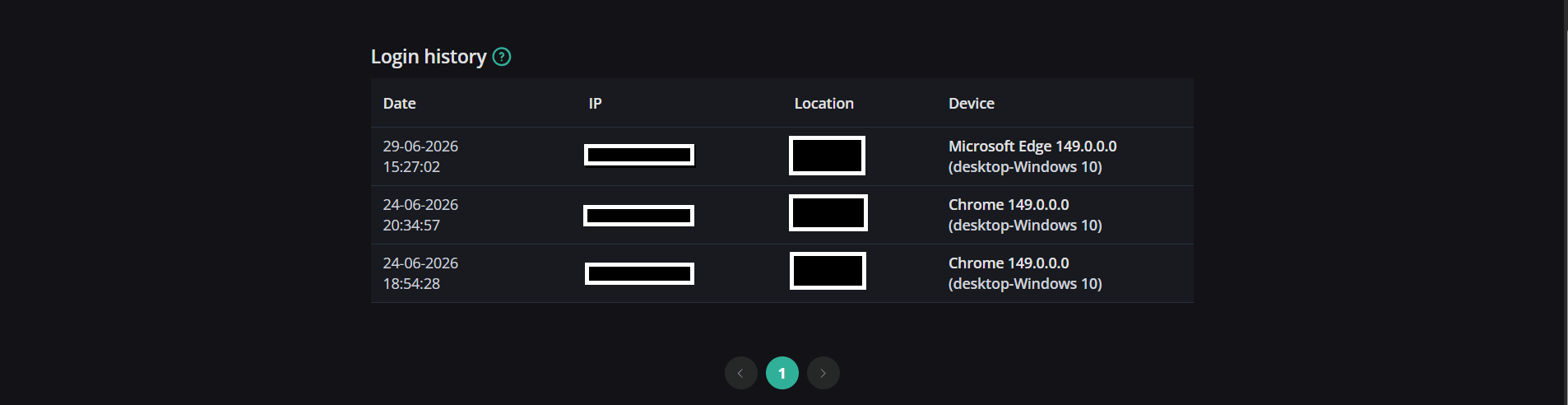
Step 3. Select the [Sessions & login history] tab. Here you can view a list of all devices that have logged into your account, including details such as Date, IP Address, Location, and Device type.
2. Manage Sessions
The session management feature helps you monitor and control all active logins to your account. You can log out of suspicious or unused devices to ensure your account security.- To log out of a specific device, click the [Delete] button next to that device in the list.
- To log out of all other devices simultaneously, click the [Log out from all devices] button.
💬 Need more help?
Chat with our support team or submit a ticket — we reply within 24 hours.
Open support pageOther articles
- How to Register a GreatBless AccountAccount & Verification
- How to Create a WalletDeposit & Withdrawal
- How to Add a Funding MethodDeposit & Withdrawal
- Understanding Trading StatsTrading Analysis
- What is the balance drawdown?Trading Analysis
- What is the quity drawdown?Trading Analysis
- Creating a New ScenarioRisk Management
- Applying a Saved ScenarioRisk Management
- Updating an Existing ScenarioRisk Management
- Renaming a ScenarioRisk Management
- Deleting a ScenarioRisk Management
- Trader's Guard Scenarios GuideRisk Management
- What is the balance and equity in forex trading?Trading Analysis
- What is the Sharpe ratio?Trading Analysis
- How to Create a Demo Direct Account on GreatBlessWebTrade Trading
- How to enable 2FA (Two-Factor Authentication) for Client Portal accountsSecurity
- Identity Verification (KYC) GuideAccount & Verification
- How to Change your Email and PasswordSecurity
- How to Create a Live Direct Account on GreatBlessWebTrade Trading
- How to Deposit Funds from Wallet to Live AccountDeposit & Withdrawal
- How to Withdraw Funds from Your Live Account to WalletDeposit & Withdrawal
- How to Trade on GreatBless WebTradeWebTrade Trading
- Troubleshooting Connection & Chart IssuesTechnical Troubleshooting
- Lot Size Risk Calculator GuideWebTrade Trading
- Account Protection Rules (Trader Guard) GuideRisk Management
- Available CommitmentsRisk Management
- Violation Action TypesRisk Management
- Creating a CommitmentRisk Management
- Updating a CommitmentRisk Management
- Disabling a CommitmentRisk Management
- Checking Guard ViolationsRisk Management
- Trader’s Guard Commitment GuideRisk Management