Creating a New Scenario
Learn how to create a custom Trader's Guard Scenario. A scenario serves as a named container for your discipline rules and risk thresholds. Once created, you must add at least one active commitment before the Scenario can be run on an account.
1. Log in to your GreatBless account. Go to Trading, then select the account where you want to set up Trader's Guard.
2. Click the [Guard] icon in the bottom right corner of the screen.
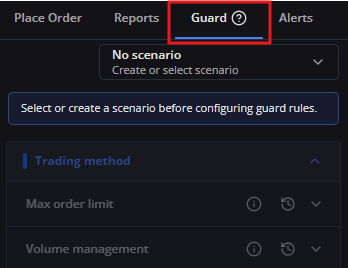
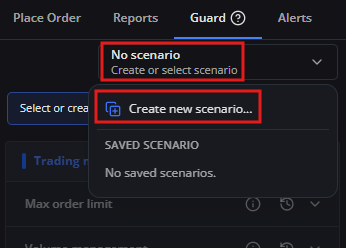
3. Click [No Scenario], then select [Create New Scenario].
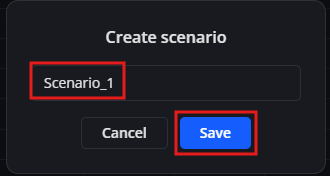
4. Enter a descriptive name for your scenario (for example, Scenario_1 or Conservative_FX) and click [Save].
5. After saving, the new scenario container is created. However, it cannot be run yet because no risk commitments have been added.
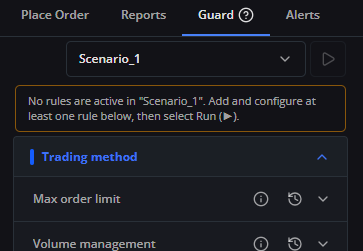
6. Proceed to Adding a Commitment to a Scenario to configure your risk rules and violation actions.