How to Register a GreatBless Account
To open an account with GreatBless, you must be at least 18 years old (or the legal age of majority in your jurisdiction) and reside in an eligible jurisdiction. Residents of restricted regions (including the United States, sanctioned jurisdictions, and other territories subject to FATF restrictions) are strictly prohibited from onboarding.
Welcome to GreatBless. Follow this step-by-step walkthrough to register your client portal account:
Step 1: Access the registration page
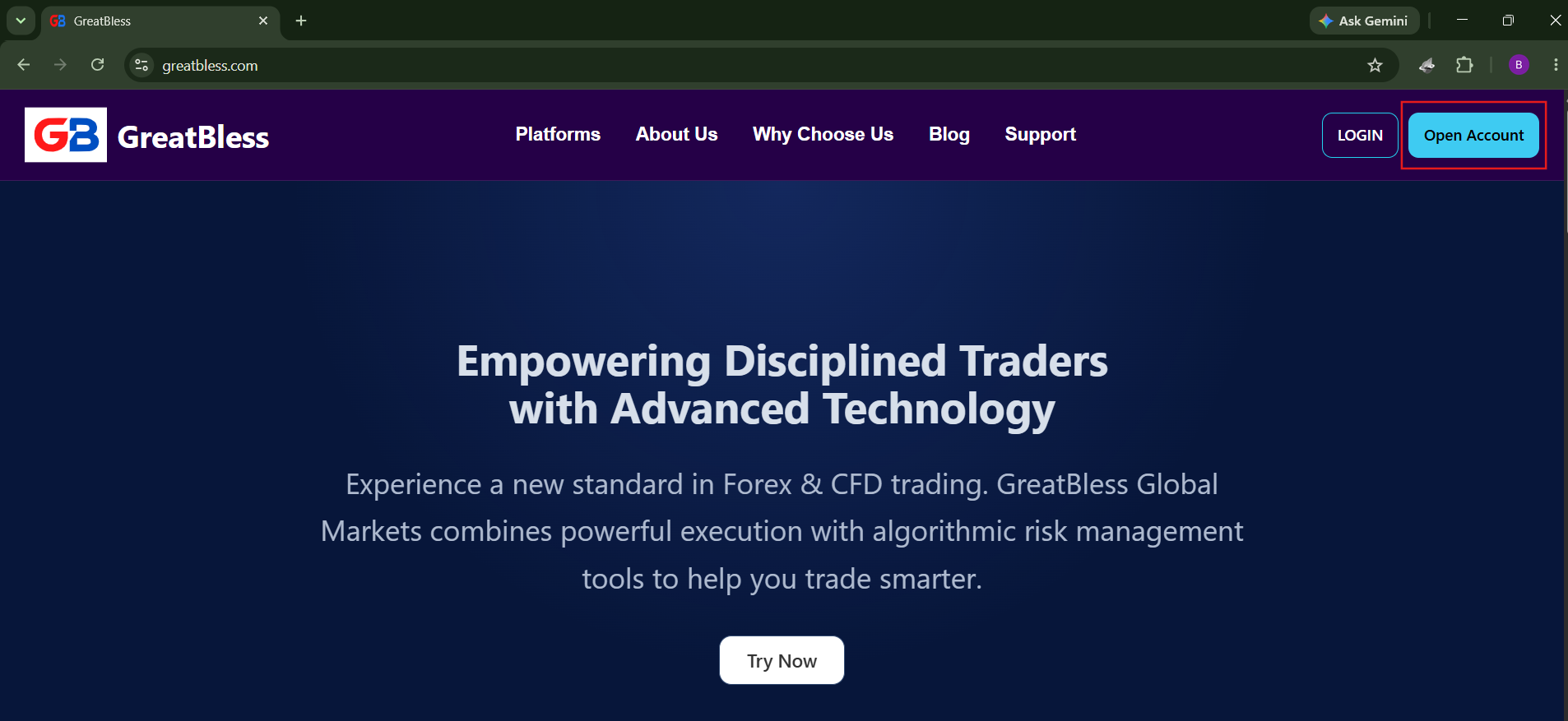
- Visit the official GreatBless website at https://greatbless.com.
- Click the [Open Account] or [Register] button at the top-right corner of the navigation bar.
Step 2: Fill in your personal information
Please ensure all entered information matches your government-issued identification documents:
1. Country of residence: Select the country where you currently reside.
2. First Name: Enter your legal first name exactly as shown on your passport or national ID.
3. Last Name: Enter your legal surname/family name.
4. Email: Enter a valid personal email address. This will serve as your primary account identifier for 2FA, funding notifications, and trade confirmations.
5. Password: Create a secure password (minimum 8 characters, including uppercase, lowercase, numbers, and special symbols).
6. Confirm password: Re-enter your password to confirm accuracy.
7. Client Agreement & Risk Disclosure: Review and check the boxes to confirm acceptance of our legal terms, Order Execution Policy, and Risk Disclosures.
8. Privacy Policy: Check the box confirming you acknowledge our data handling and AML compliance policies.
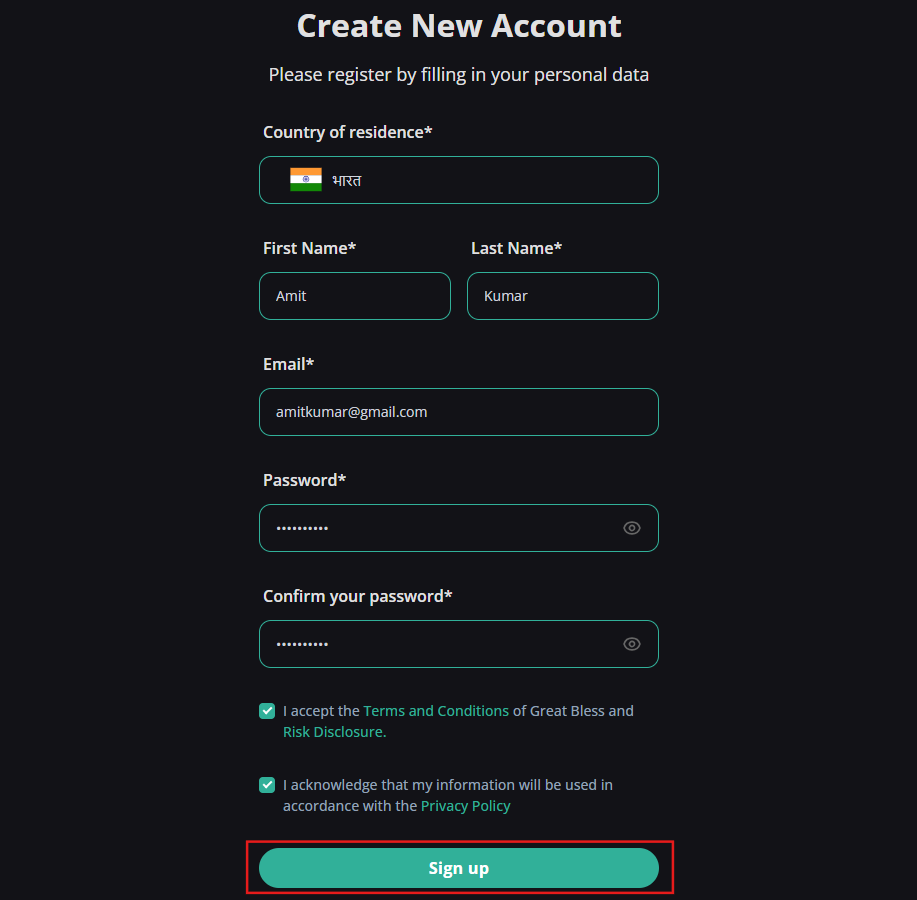
Click Sign Up to submit your registration form.
Step 3: Verify your email address
- Immediately after submitting the registration form, an automated verification message is sent to your registered email address.
- Open the email from GreatBless and click the [Verify Email] button to activate your account.
- Once verified, you can sign in to your Client Portal to complete Identity Verification (KYC) at https://my.greatbless.com/kyc and access trading accounts.