How to Create a Wallet
A Wallet in the GreatBless Client Portal serves as your central repository for holding funds, depositing, and initiating withdrawals independently from active MT5 trading account balances.
Step-by-Step Guide:
1. Log in to the GreatBless Client Portal at https://my.greatbless.com.
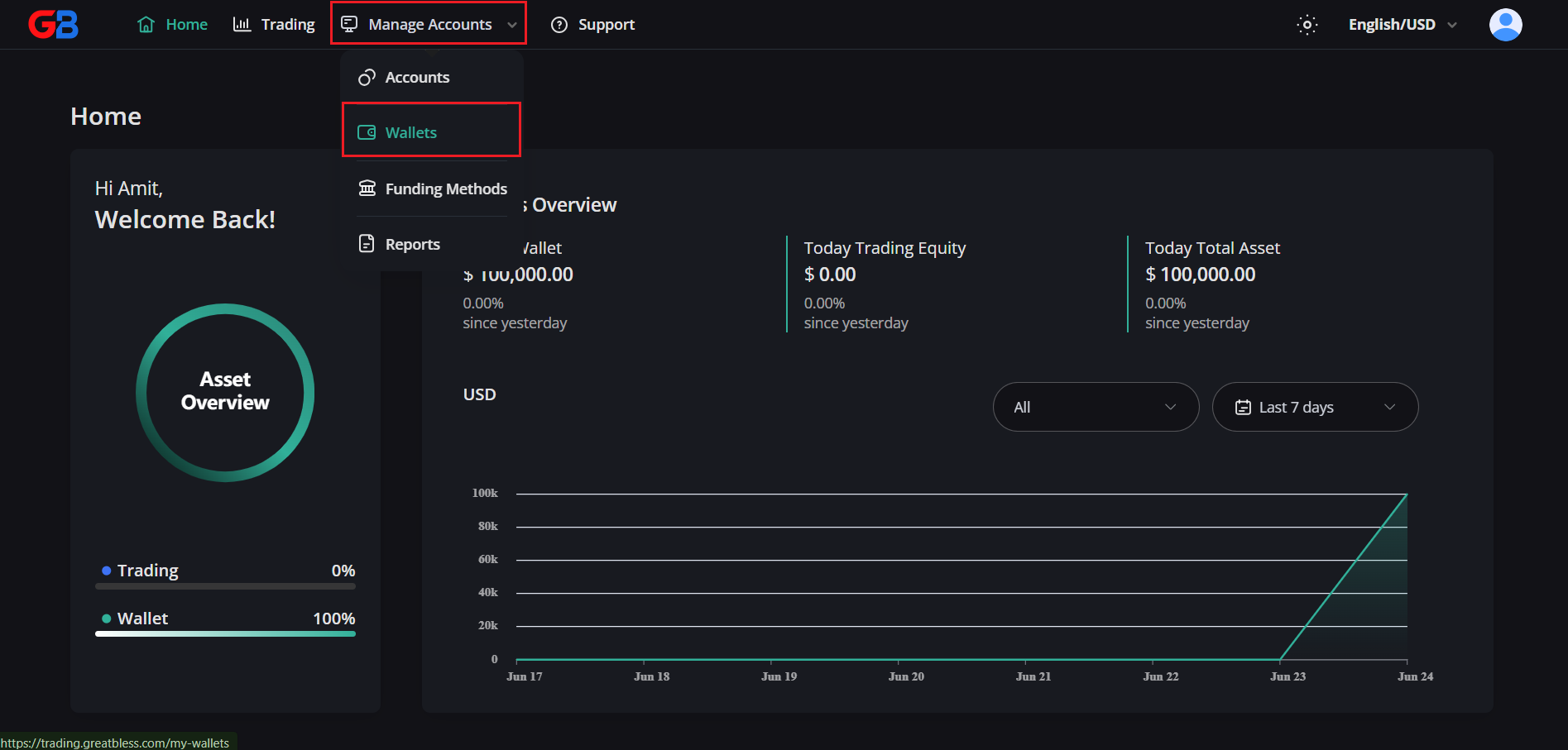
2. Select [Manage Accounts] from the top navigation menu, then choose [Wallets] from the dropdown list.
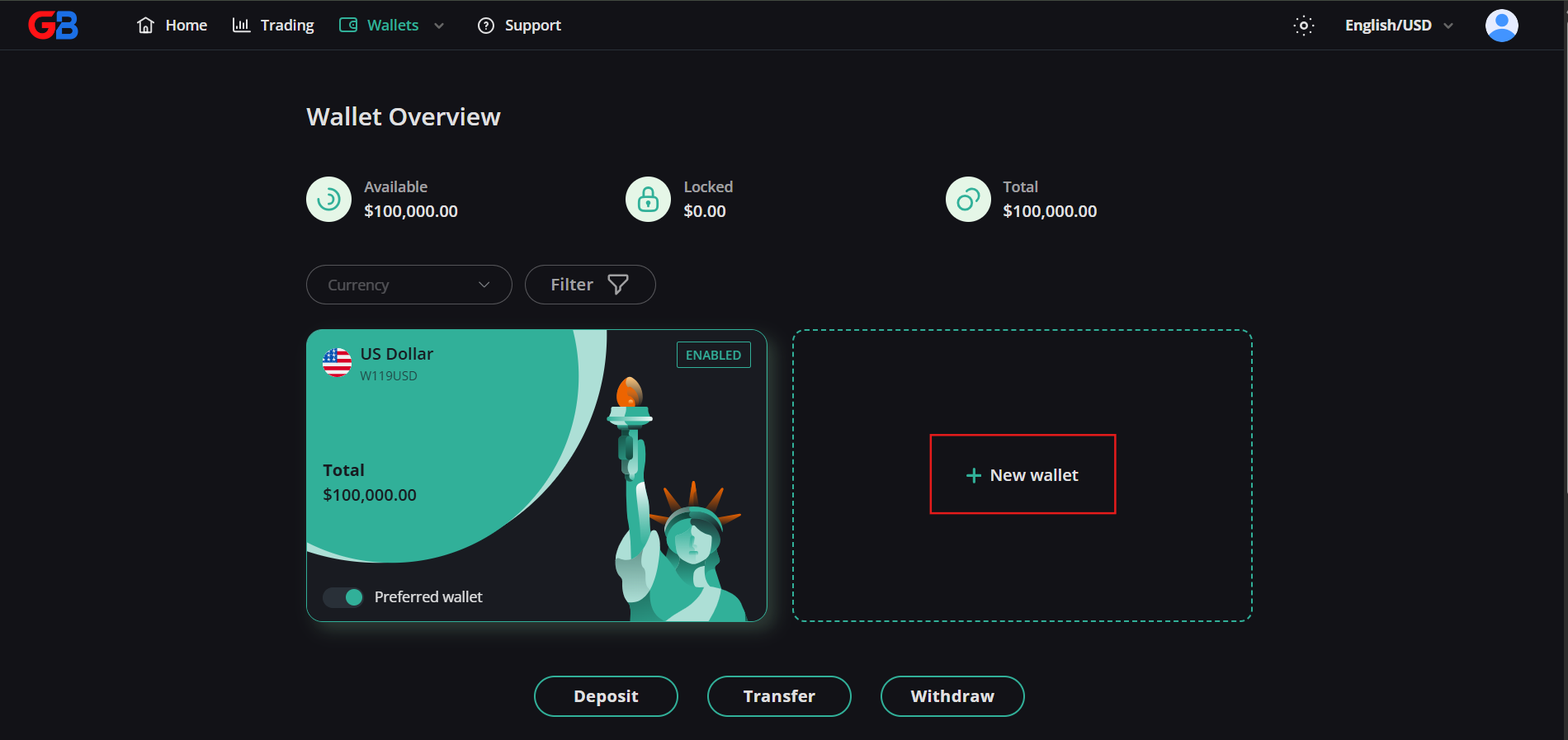
3. On the Wallet Overview page, click [New wallet] to open the creation dialog.
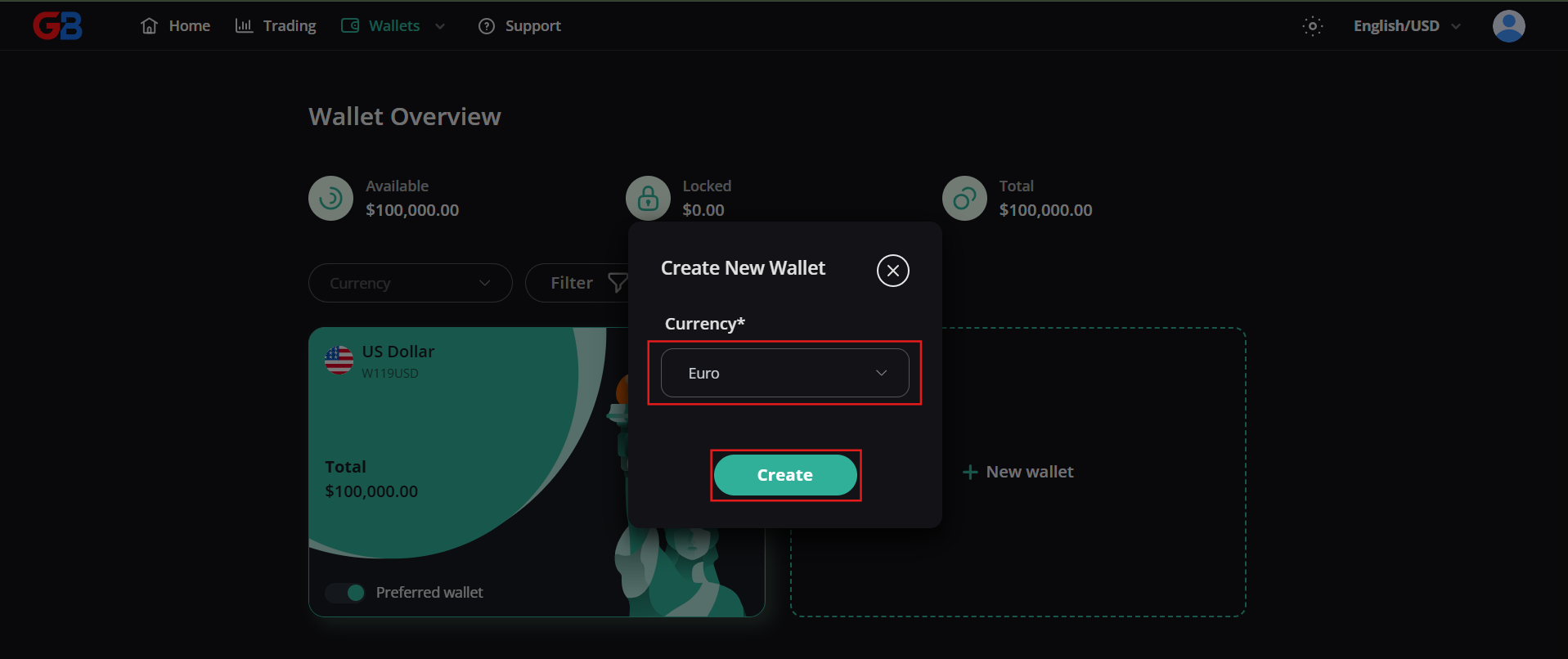
4. In the [Create New Wallet] modal, select your preferred currency (e.g. USD), then click [Create].
Your new wallet is created instantly and ready to receive deposits or internal transfers from your trading accounts.