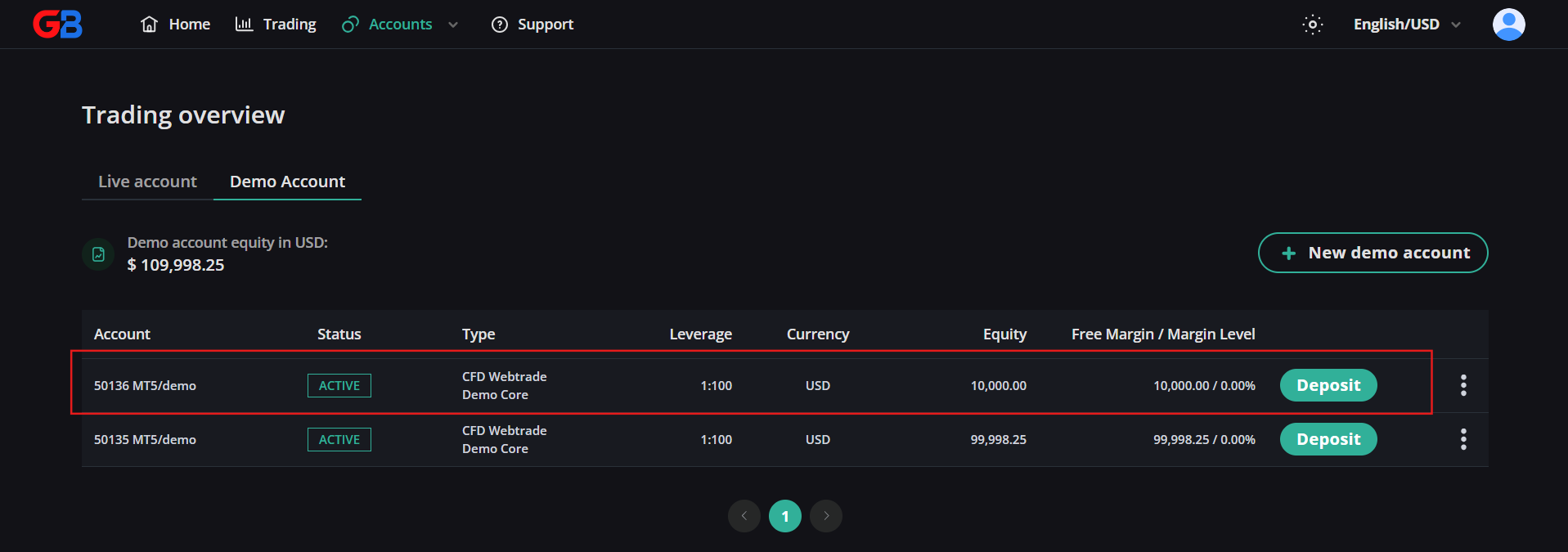
How to Create a Demo Account on GreatBless
A demo account provides a risk-free simulation environment using virtual funds. It allows you to practice technical execution, evaluate platform features, test Trader's Guard rules, and refine trading strategies under real-time market pricing without risking real capital.
Step-by-step guide
1. Log in to your GreatBless Client Portal.
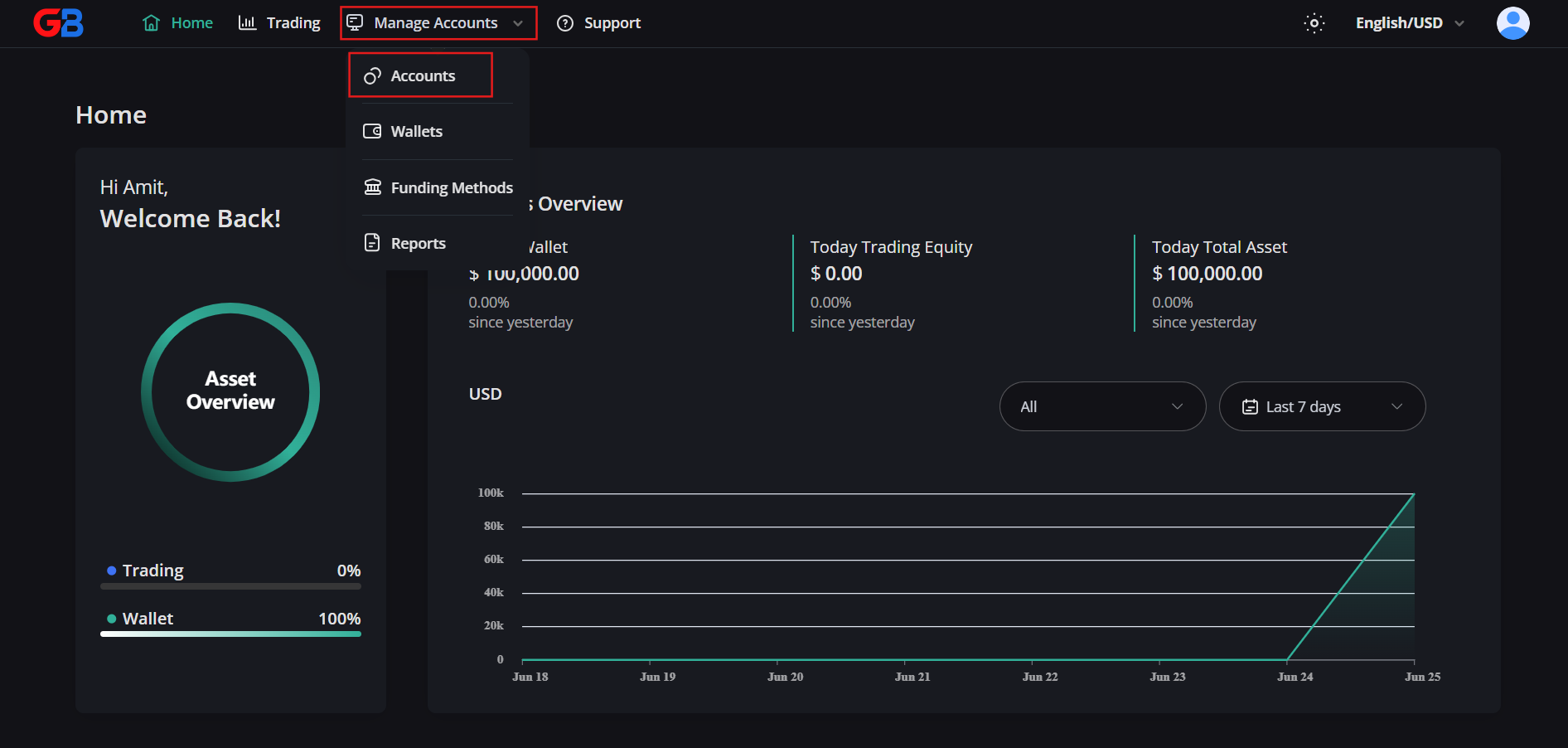
2. Click on Manage Accounts in the side navigation, then select Accounts.
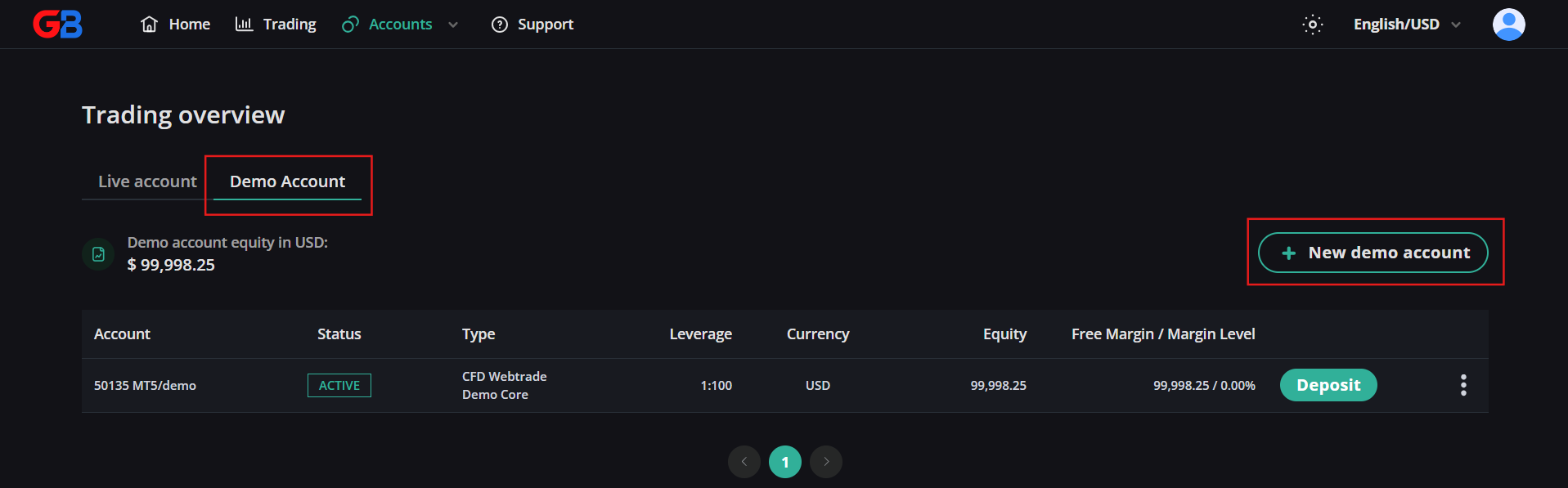
3. Switch to the Demo Account tab, then click the [+ New demo account] button.
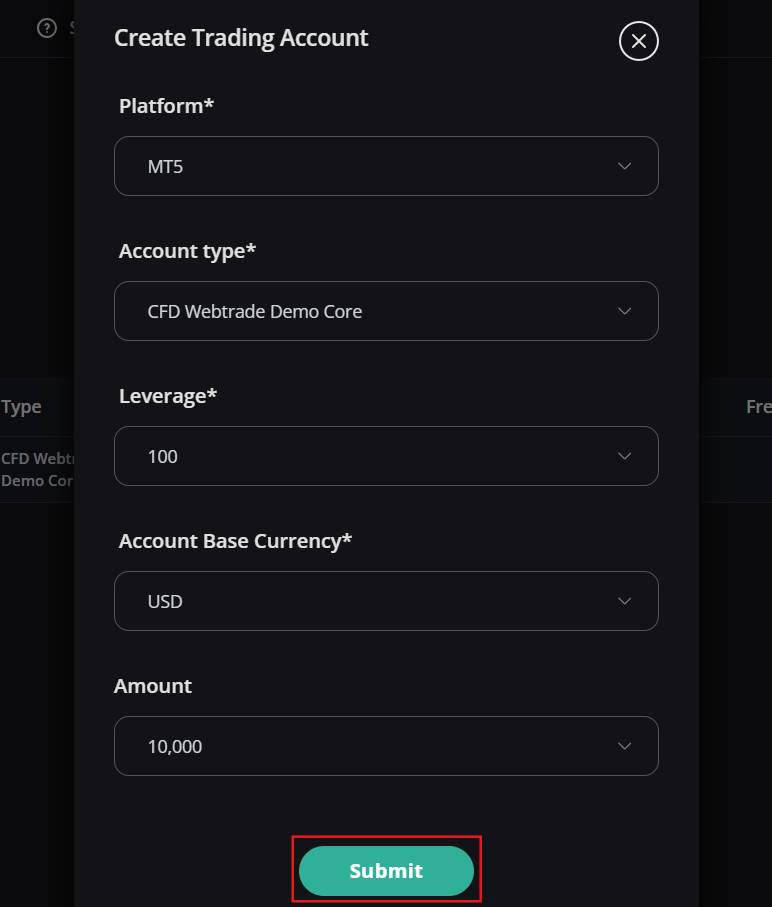
4. Configure your demo account preferences: select the platform, account currency (USD), initial demo balance, and leverage ratio (e.g., 1:100). Click Submit.
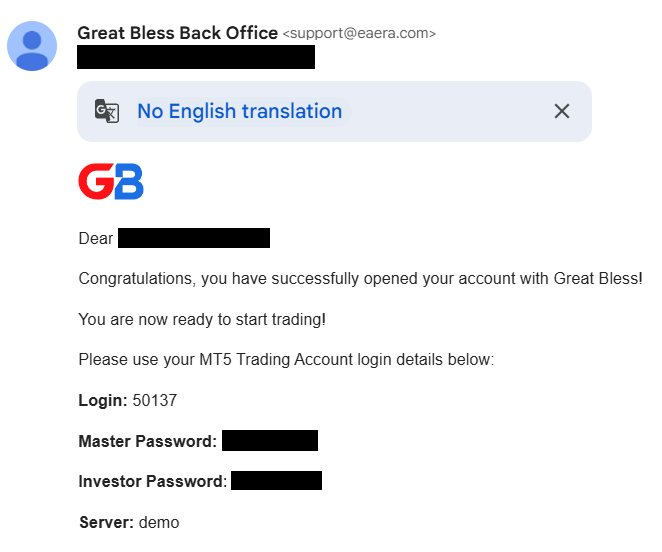
5. Your demo account credentials (Login ID, Trader Password, Investor Password, and Server Name) are generated instantly and emailed to your registered address.
6. Your new demo account will now appear in your active accounts list, ready for WebTrade or MetaTrader 5 trading.