How to Transfer Between Your Wallet and Trading Account
The GreatBless Client Portal separates your Wallet — where your capital is held — from your MT5 live trading accounts, where it is used as trading margin. Moving money between the two is an internal transfer: it happens inside GreatBless, is processed immediately, and carries no fee.
Both directions use the same screen:
- Wallet → Live account — fund a trading account so you can trade.
- Live account → Wallet — move balance (for example, realized profits) back out of trading.
To bring money in from outside GreatBless, see How to Deposit Cryptocurrency to Your Wallet. To send money out, see How to Withdraw Funds from Your Wallet.
Opening the transfer screen
1. Log in to the Client Portal at https://my.greatbless.com.
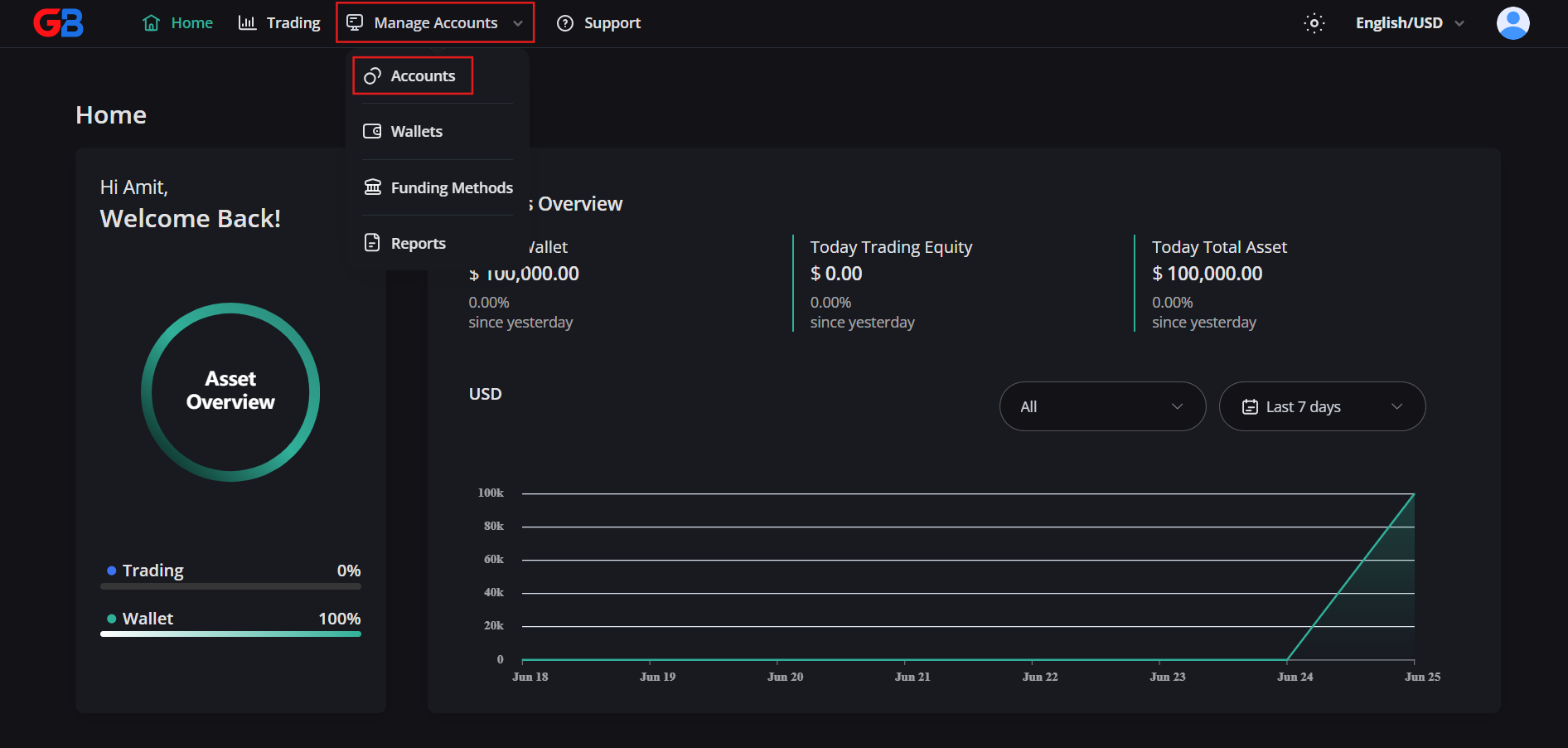
2. Open the [Manage Accounts] dropdown from the top menu, then select [Accounts].
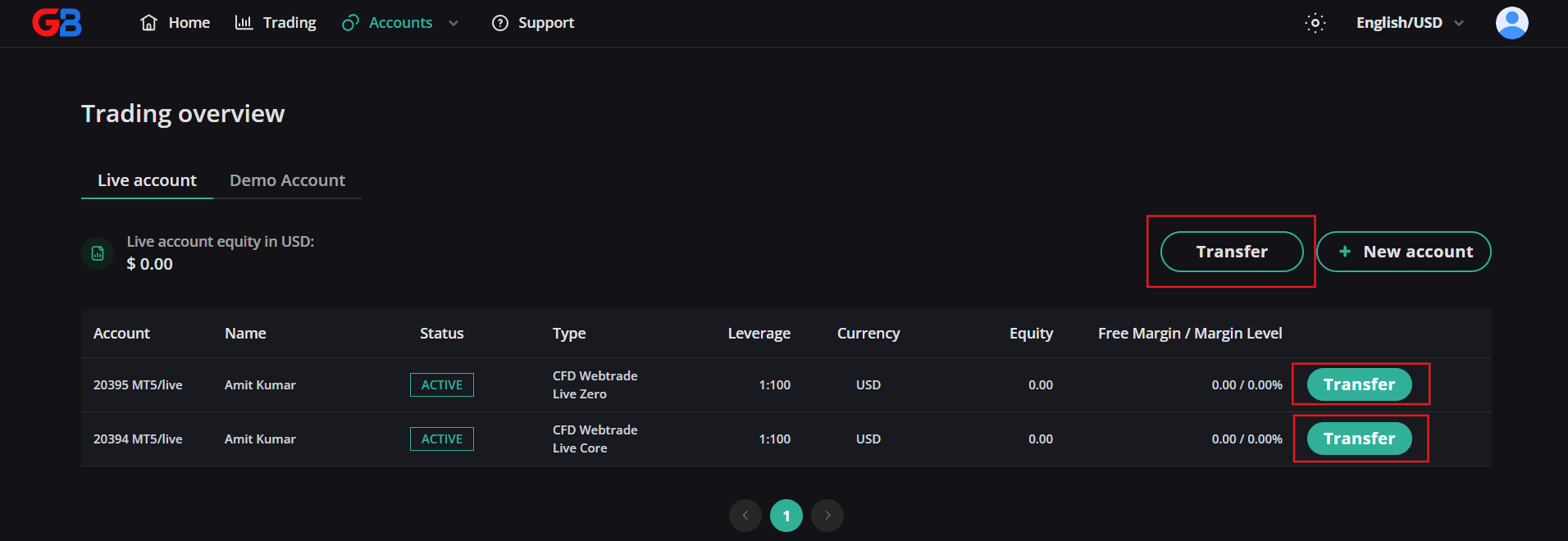
3. In the Live account tab, locate the trading account you want to move funds to or from, then click [Transfer].
Wallet → Live account (funding your trading account)
Requirement: an active Wallet with available funds.
In the Transfer modal:
- Select your source Wallet in the From field.
- Select the target live trading account in the To field.
- Enter the amount, then click [Transfer].
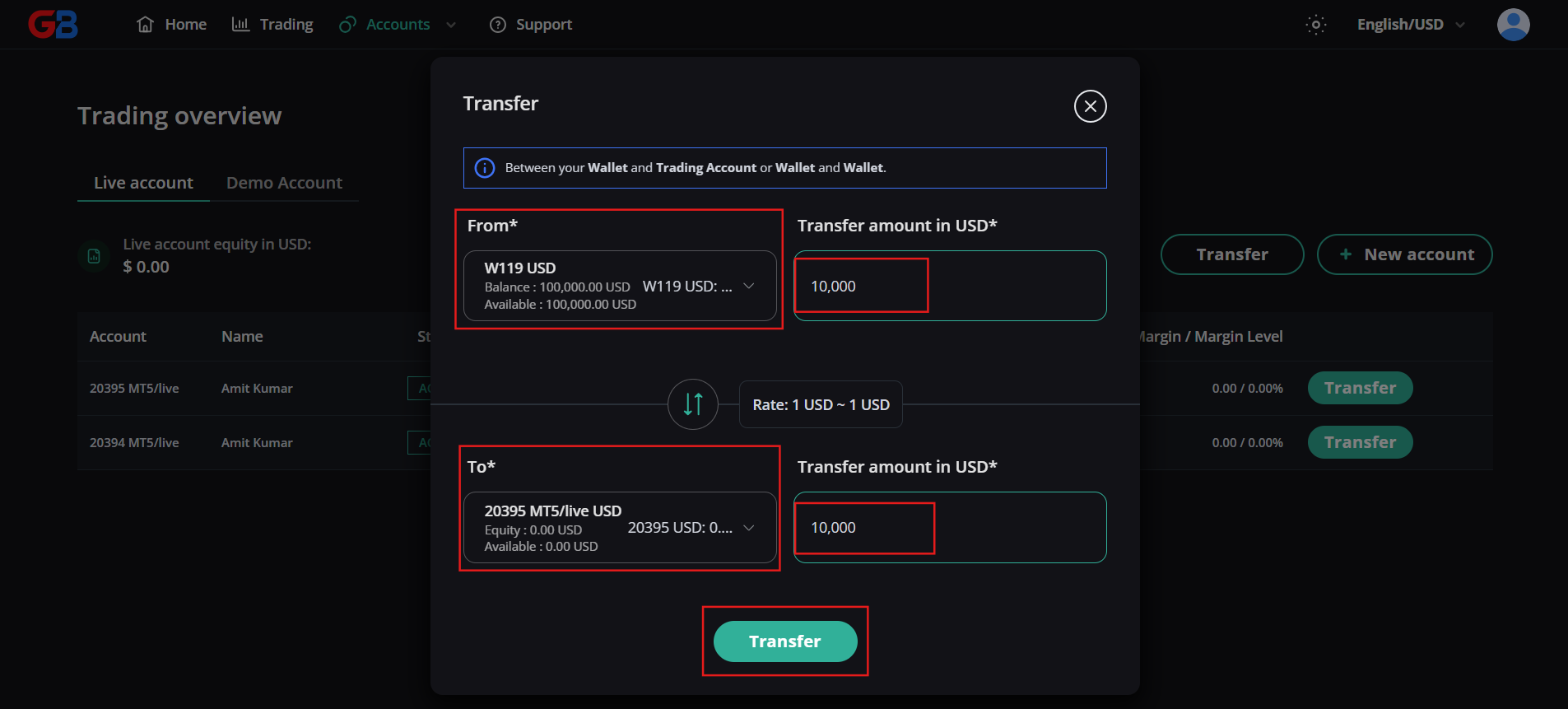
The funds appear as Balance on the trading account and are immediately usable as margin.
Live account → Wallet (moving funds back)
In the same Transfer modal, reverse the fields:
- Select the Live account in the From field.
- Select the target Wallet in the To field.
- Enter the amount, then click [Transfer].
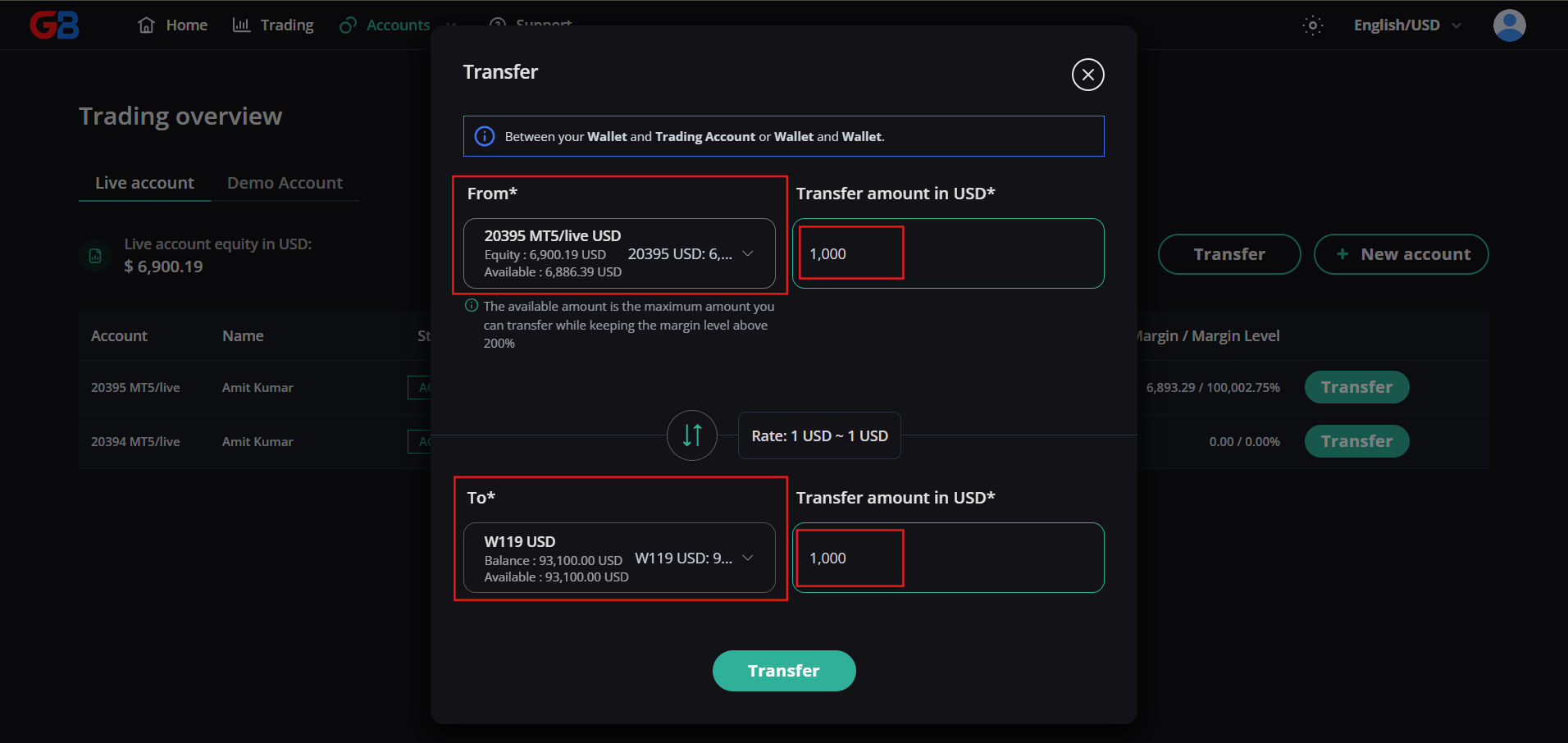
Funds moved to your Wallet remain inside GreatBless. To send them to an external address, make a withdrawal — see How to Withdraw Funds from Your Wallet.
⚠️ Critical risk warning: margin level and stop-out exposure
This applies whenever you transfer from a live account back to your Wallet while positions are open.
1. Immediate margin impact: transferring funds out of a live trading account instantly reduces your Balance, Equity and Free Margin.
2. Stop-out risk on open positions: if you have open positions at the time of transfer, the reduction in Equity causes your Margin Level (%) to fall sharply. If your Margin Level reaches or falls below the broker's Stop-Out threshold, the MT5 server will automatically liquidate your open positions at current market prices to prevent an account deficit.
3. Trader responsibility: always ensure you have sufficient Free Margin to maintain all existing open positions before initiating a transfer out of a live account. GreatBless is not liable for stop-outs or position liquidations caused by client-initiated fund transfers.