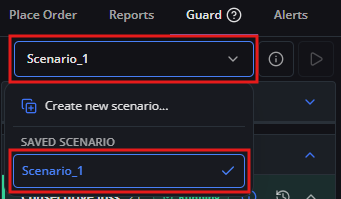
Updating a Running Scenario
While a Scenario is running, you may adjust parameters or add rules to increase account protection. However, you cannot deactivate rules or abandon the Scenario until the commitment duration expires (Client Agreement §30.4).
Use this guide when you want to modify commitment parameters in a scenario currently active on your account.
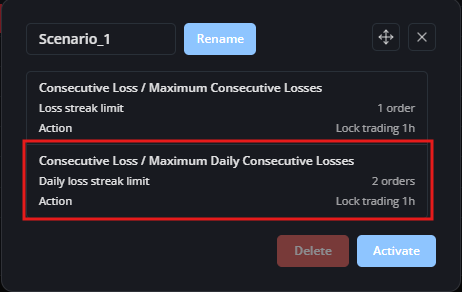
For example, your account is currently running Scenario_1 with two rules: Maximum Daily Consecutive Losses and Maximum Consecutive Losses (both set to 1 order). In this example, you want to adjust Maximum Daily Consecutive Losses to 2 orders.
1. Verify that the running Scenario_1 is selected in the scenario selector.
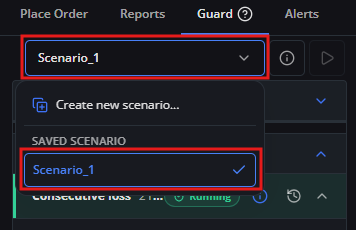
2. Locate the Maximum Daily Consecutive Losses rule and click the edit icon.
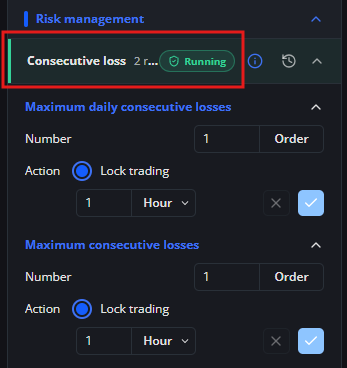
3. Adjust the order value from 1 to 2.
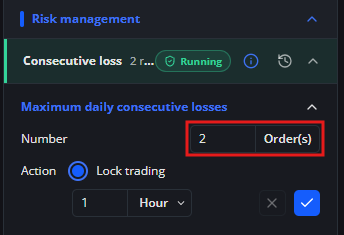
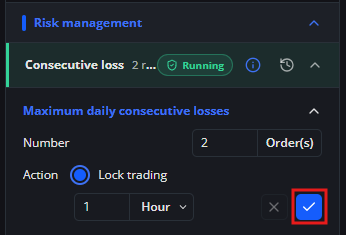
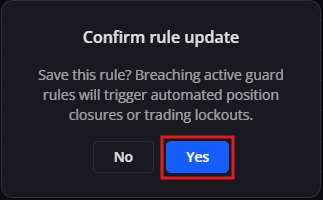
4. Click [Confirm] (check icon) and confirm [Yes] in the dialog.
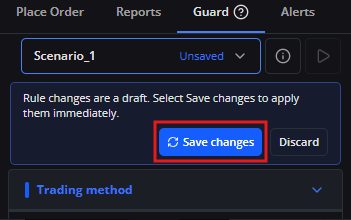
5. Click [Save changes] to apply the updated configuration to the active Scenario_1.
6. After saving, open the scenario details to confirm that the active running scenario now reflects the updated parameter.